HelloCHIP
A simple CHIP-8 interpreter/emulator
Tech Stack
This is my first emulator-adjacent project. I want to use this as a starting point to hopefully be able to develop emulators for more advanced systems and consoles, and I hope to be able to create a basic Game Boy emulator within the coming weeks after I complete this.
The CHIP-8 isn’t actually a game system, but rather it is a high-level programming language created in 1977 by Joe Weisbecker for the COSMAC VIP computer. However, the design process of an interpreter for the CHIP-8 is very similar to that of an emulator, and its simplicity lends to its reputation as a “Hello World” emulation development project, hence the name of my project.
Before even beginning to write code, I had to understand the basic internal functions of the CHIP-8, which was made very easy using Tobias Langhoff’s guide. This went through the system’s memory, display, and CPU (including the PC, timers, and other registers) and allowed me to plan for the design of my emulator.
To start, I wrote my own font for the emulator, as I found some of the characters in the default font used by most people to be quite ugly. This process was actually much easier than I expected, as the CHIP-8 use five two-digit hex codes to define each character, with each hex code specifying the horizontal bits in an 8 bit row to be turned on. Since the characters are only 4x5 pixels large, the rightmost 4 bits in the hex code are ignored for fonts.
I then moved on to writing the actual emulator, and I chose Python for this, as it was a language I was already quite familiar with and I wouldn’t have to learn a language on top of learning how to write an emulator.
I wrote the memory, display, and emulator itself each in separate files as different classes, then I created the logic to run following instructions at the start:
00E0(clear screen)1NNN(jump)6XNN(set registerVX)7XNN(add value to registerVX)ANNN(set index register I)DXYN(display/draw)
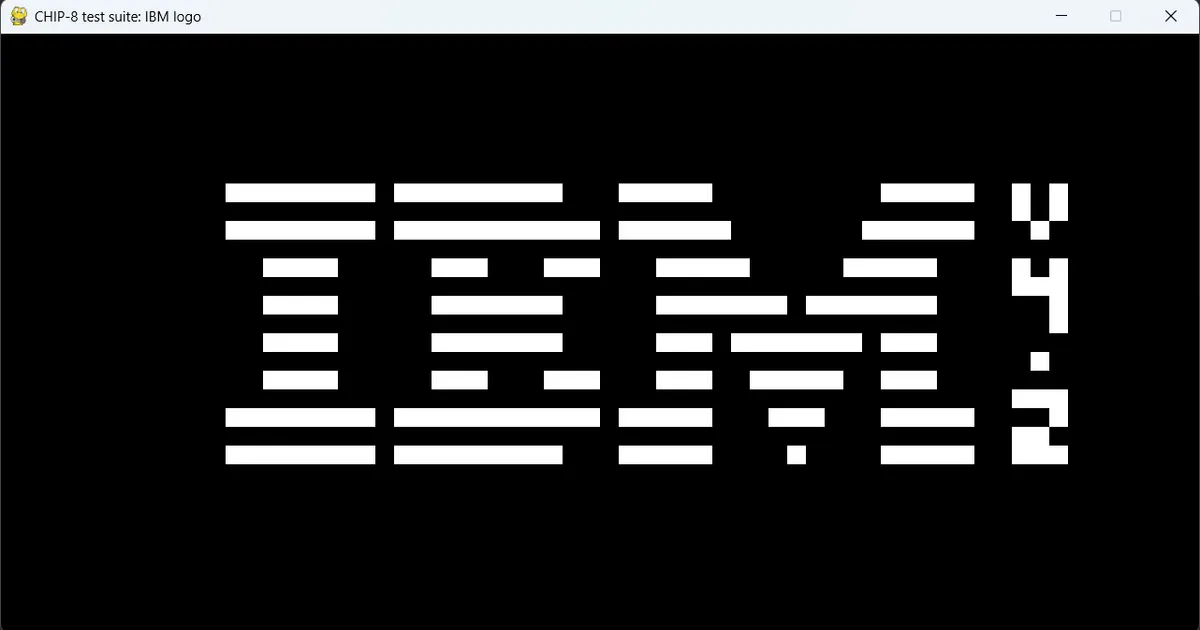
These instructions are used by the IBM logo testing program and allowed me to be able to test out my initial architecture with minimal work done before moving on to constructing the whole emulator.
Here, I came across my first roadblock: the display. I had never created a native application that interacted with the user’s GPU or displayed any sort of graphics, so I naively used, PySDL3, the first option I could find. While SDL3 and its Python wrapper are certainly great tools, they are very advanced and I found myself way out of my depth when using them, especially since SDL3 is a C library, which wasn’t a language I was familiar with.
I had initially focused on only getting the display to work and worrying about the sound later, as the CHIP-8 only had a simple beep that ran according to the value of its sound timer. However, when I started coding the sound in my emulator, I realised that SDL3 was completely out of scope for this project. I switched to the community edition of pygame, which was a much smoother out of the box experience for me, and while it uses the older SDL2 library, it still provided enough features for this project.
After completing the full instruction set and implementing both a display and sound, I moved on to adding a GUI to allow less technically inclined users to be able to comfortably utilise the emulator. For this, I used PyQt6, and while I had never used it before, I was able to quickly grasp its basics using PythonGUIs’ guide.
I also added a settings menu to the GUI that allowed users to change the default behaviour of the emulator, as the different CHIP-8 interpreters over the years had different behaviours and quirks, and I wanted my emulator to be as compatible as possible. The menu also has an option to change the colour scheme according to the user’s preference. I then made a GitHub Action to package my project into a portable application using PyInstaller.
Later on, I made my program access the CHIP-8 Database to retrieve game titles, platforms, and other information to make the user experience as smooth as possible.
Overall, this project has taught me a lot about low-level programming. While I learnt about the fetch-decode-execute cycle in my classes, implementing it is completely different and actually shows you how a CPU actually works.
I also learnt a lot about planning projects, specifically what NOT to do. While Python is a very powerful language, it’s not designed to easily create executable applications or run graphics very well. For my next project, I will consider the pros and cons of each language, even those that I’m not used to, and make a more well thought-out decision on the language and libraries to be used.
Features
- All original instructions supported
- Fully functioning GUI
- Accesses database to determine specific game platforms and settings
- Currently only supports original CHIP-8 games
Resources Used
I would like to thank the authors of the following materials for their invaluable contribution to this project
- Guide to making a CHIP-8 emulator by Tobias Langhoff
- PyQt6 Tutorial by Martin Fitzpatrick
- CHIP-8 Test Suite by Timendus and other contributors
- CHIP-8 Database by the CHIP-8 Research Facility
To Do
- Add SUPER-CHIP support
- Add XO-CHIP support